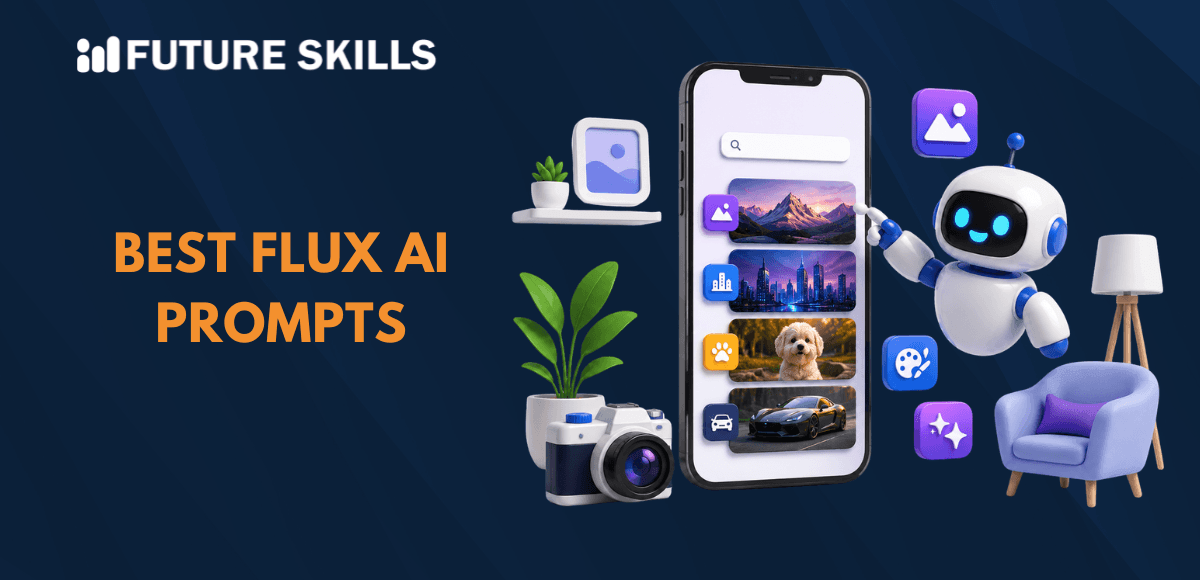

The barriers to entry in using AI models for image generation have practically vanished in 2026. You can trust models like Flux AI to create professional photorealistic images for different purposes without requiring technical fluency. However, the best flux AI prompts can help you generate images that don’t look like they have been sourced from a stock photo website. As the adoption of AI image generation models increases, the gap between generic image output and photorealistic images has grown wider.
- The total value of the global AI image generation market in 2026 is just over $12 billion. (Source)
- Google Nano Banana image models have generated over 50 billion images, indicating the scale of use of AI image generation models. (Source)
- Almost 35% of organizations using generative AI deploy it to generate images, complemented with multimodal generative AI. (Source)
Flux was introduced by Black Forest Labs in 2024, and since then, text-to-image generation has never been the same. The benefits of superior image quality, creative flexibility, and prompt compliance make Flux one of the notable competitors to top image generation models. You can get photorealistic images from Flux by following the best practices for prompt engineering rather than using ‘photorealistic’ and ‘8K’ in every prompt.
Level up your AI skills and embark on a journey to build a successful career in AI with our Certified AI Professional (CAIP)™ program.
Unraveling the Architecture and Family of Flux Models
One of the key requirements to design effective prompts for Flux calls for understanding the architecture of Flux AI. In addition, every Flux prompt guide must also focus on the notable additions in the Flux AI family of models. Flux works with rectified flow transformer architecture, marking a significant difference from the conventional diffusion models. The unique architecture brings some outstanding benefits, such as,
- Better prompt understanding
- Physically believable outputs
- Faster image generation
You will also find different variants of Flux tailored for distinct use cases, including rapid prototyping or production-grade commercial work. The most striking highlights of Flux include,
- Focus on character consistency in different images
- Rendering legible text in the images
- Generating photorealistic details at par with professional photography
The ability of Flux to understand complex spatial relationships, lighting behavior, and material properties helps in eliminating artifacts from AI images that make them feel like stock images.
If you are a first-time user, then it is important to remember that Flux offers multiple model variants. The Flux.1 family works with 12 billion parameter architecture while the new Flux.2 family can scale up to 32 billion parameters. The three notable variants of the Flux.1 family have gained significant levels of adoption with distinct benefits.
- Flux.1[Pro] stands out as the most sophisticated version capable of delivering top-tier performance.
- Flux.1[Schnell] offers a faster model, more suitable for personal use and local development tasks.
- Flux.1[Dev] is an open-weight model that is best for non-commercial applications.
Become a job-ready AI professional with our accredited Prompt Engineering Certification Program. Learn the fundamentals and advanced techniques of prompt engineering in just four weeks.
What is the Problem in Generating Photorealistic Images with Flux AI?
The biggest problem in generating photorealistic images with Flux AI is the lack of ability to write the ideal prompts. Most of the AI prompts for photorealistic images focus heavily on words like ‘photorealistic, ‘highly detailed’ and ‘masterpiece’. Using these terms only means that you are requesting the AI model to work harder rather than showing it how to achieve realism.
Professional photography depends less on adjectives and more on understanding how light, lenses, and the physics of objects work. If you ask a real photographer to click photorealistic images, they will focus on,
- Aperture
- Film stock
- Lighting setup
- Lens type
Prompts that focus on these technical specifications will access the training data of the AI model on actual professional photography. Flux AI also works in the same way and ignores generic buzzwords used in prompts to generate photorealistic images. On the contrary, it responds well to authentic photography terms, accurate technical specifications, and natural language descriptions.
Understanding the Structure of the Best Flux AI Prompts
Flux AI has emerged as one of the trusted models that focus heavily on realism and detail in professional image generation. You can use the best of Flux by understanding the ideal prompt structure to generate photorealistic images with the model.
The basic prompt structure in Flux will look something like the following template.
[Subject] + [Setting/Environment] + [Lighting] + [Style/Mood] + [Technical Details]
You can think of an example prompt like, “A professional headshot of a confident businessman, modern office background, soft natural lighting, corporate editorial style, shallow depth of field and shot on Canon 5D”.
In this example, you can see that the ‘professional headshot of a confident businessman’ is the subject and ‘modern office background’ is the setting. Subsequently, the prompt also specifies the type of lighting and style of the image followed by mentioning the technical specifications of the camera.
Learn how ChatGPT and AI can transform your career and boost your productivity with the free ChatGPT and AI Fundamentals Course.
Examples of Flux AI Prompts for Photorealistic Images
The template for basic image generation prompts in Flux clearly showcases how it avoids the generic buzzwords used to incorporate realism in AI-generated images. You can find answers to “How to write prompts for Flux AI?” focusing heavily on maintaining accuracy in technical specifications. However, generating photorealistic images with Flux AI is a completely different game where you can use unique prompt templates for different photography requirements.
1. Portrait Photography
The prompt template for professional portrait photography with Flux AI will look like,
Professional headshot of a [person description], [setting], [lighting type], [mood/expression], shot on [camera], shallow depth of field, 8k resolution.
One example of a prompt for photorealistic portrait photography with Flux AI will look like the following,
“Professional headshot of a middle-aged female CEO with a warm smile, minimalist white studio background, soft Rembrandt lighting, confident expression, shot on Canon 5D, shallow depth of field, 8k”.
2. Product Photography
Flux AI is also useful for product photography, and the prompt template will be something like,
[Product] on [surface/background], [lighting setup], [angle], professional product photography, commercial quality, [additional details]
The best example for product photography prompt template will be,
“Luxury perfume bottle on a red satin cloth, dramatic rim lighting with soft fill, 45-degree angle, professional product photography, commercial quality, clean and minimal composition”.
3. Lifestyle Photography
You can also find the best Flux AI prompts for photorealistic lifestyle photography images that look like the following template.
[Scene description] featuring [subject], [environment], [time of day], [mood], lifestyle photography, natural and authentic feel
Examples of lifestyle photography prompts can be like,
“Young male professional enjoying morning coffee in a sunlit apartment, large windows with city view, morning light, relaxed mood, lifestyle photography, natural and authentic feel”.
Expert Tips to Write Best Flux AI Prompts for Photorealistic Images
Once you have figured out how Flux AI is different than other models, it is easier to take a different approach to writing prompts. Every user should know that creating prompts for Flux AI requires attention to certain aspects. As a matter of fact, you can create the best prompts to generate photorealistic images with Flux AI by,
- Using descripting and natural language in the prompts
- Including accurate details about the subject and the environment
- Adding information about lighting, atmosphere, and mood of the subject
- Exploring different artistic styles and compositions
While it is important to follow these tips to create the best prompts for Flux AI, you must also avoid some mistakes to get the desired output.
- Never overload your prompt with adjectives, especially the ‘generic’ ones.
- Don’t ignore the physical constraints of what a lens or camera can do.
- Avoid mixing incompatible technical terms in a single prompt.
- Always strike out generic film and photography references in the prompt.
Final Thoughts
The first thing that you will find in any reliable Flux prompt guide is the need to stay away from abstract AI image generation. You cannot expect Flux AI to understand that you need a photorealistic image just by mentioning ‘8k’ or ‘highly detailed’ in your prompts. On the contrary, it is important to recognize the capabilities of Flux to amplify realism and detail in AI-generated images. Learn the best practices to craft prompts for generative AI models and try exploring your creativity now.
FAQs
What are the best AI prompt tools for flux data analysis?
You can choose the best AI prompt tools for flux data analysis according to the data type you are working with. Julius AI or Zerve are the best picks for use cases involving scientific or IoT flux data. On the other hand, Microsoft Copilot in Power BI is useful for business metric flux.
Which companies offer the top AI-powered flux prompt solutions?
Companies that offer top AI-powered Flux prompt solutions combine the raw image generation power of Flux with proprietary tools. Anakin AI is one of the best examples that transform basic ideas into optimized text prompts. Picsart is an AI imaging platform that allows you to generate visuals with Flux AI models.
Where can I find tutorials on crafting effective flux AI prompts?
The best place to find tutorials on crafting effective Flux AI prompts is Future Skills Academy. It is a popular and comprehensive platform dedicated to offering comprehensive training resources on artificial intelligence. You will find blogs with tutorials on best practices for prompt creation at Future Skills Academy.
About Author

James Mitchell is a seasoned technology writer and industry expert with a passion for exploring the latest advancements in artificial intelligence, machine learning, and emerging technologies. With a knack for simplifying complex concepts, James brings a wealth of knowledge and insight to his articles, helping readers stay informed and inspired in the ever-evolving world of tech.